The App
A deep dive into every module inside VideoNarraCue.
Want the full story? Each feature below has a short summary. For complete definitions — what it is, what it does, why creators use it, and how to start — see the Feature Guide.
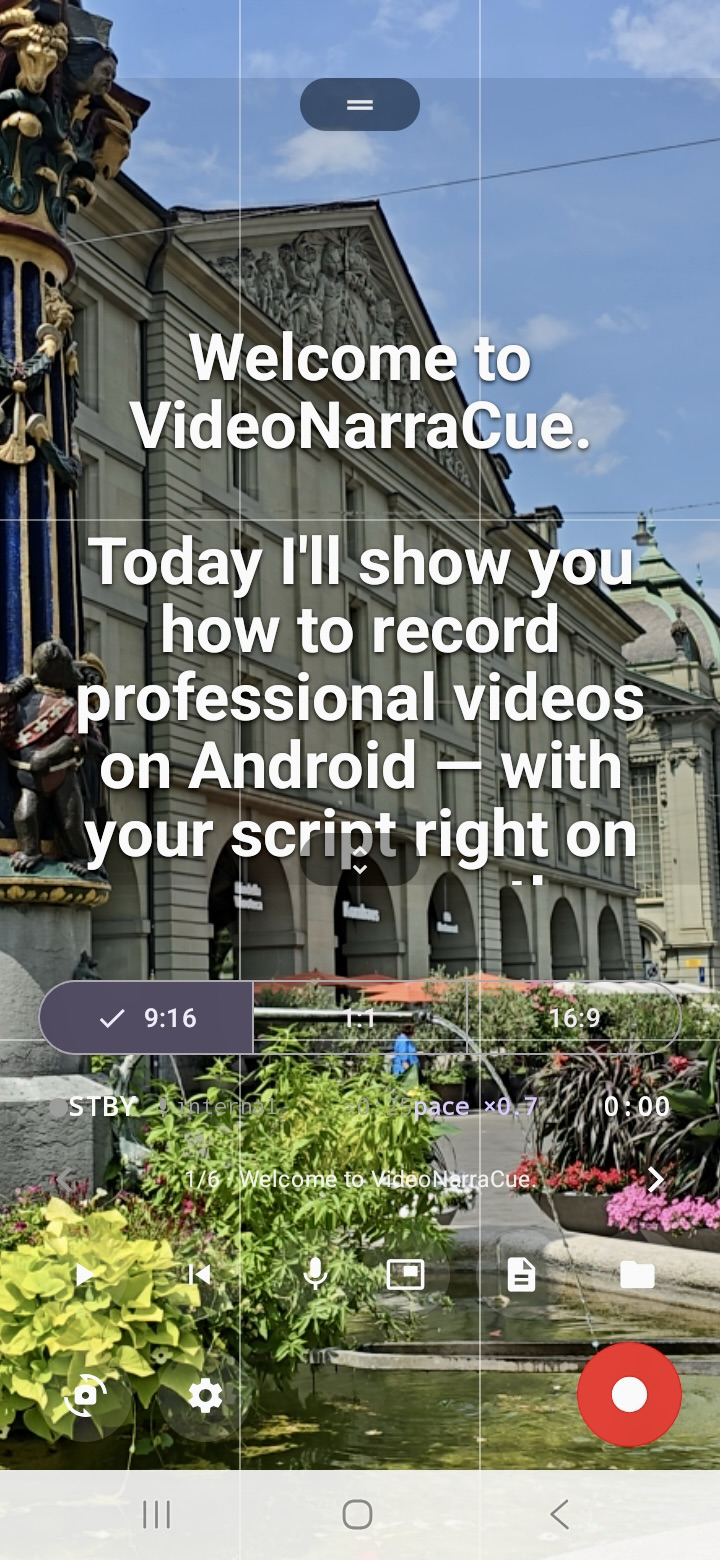
Teleprompter Mode
What it is: A studio-style prompter on your phone — script scrolls upward at your chosen speed.
Why it helps: Keep your eyes near the lens, sound natural, and finish on time without memorizing lines.
- Play/pause, speed control, manual drag
- Resizable text zone (saved between sessions)
- Mirror mode (4 modes) for physical glass prompters
- Presenter mode — narrow side column
- Chapters, paragraph pause, karaoke highlight
- Bluetooth media button control
- Voice-follow scroll Pro
Camera Mode
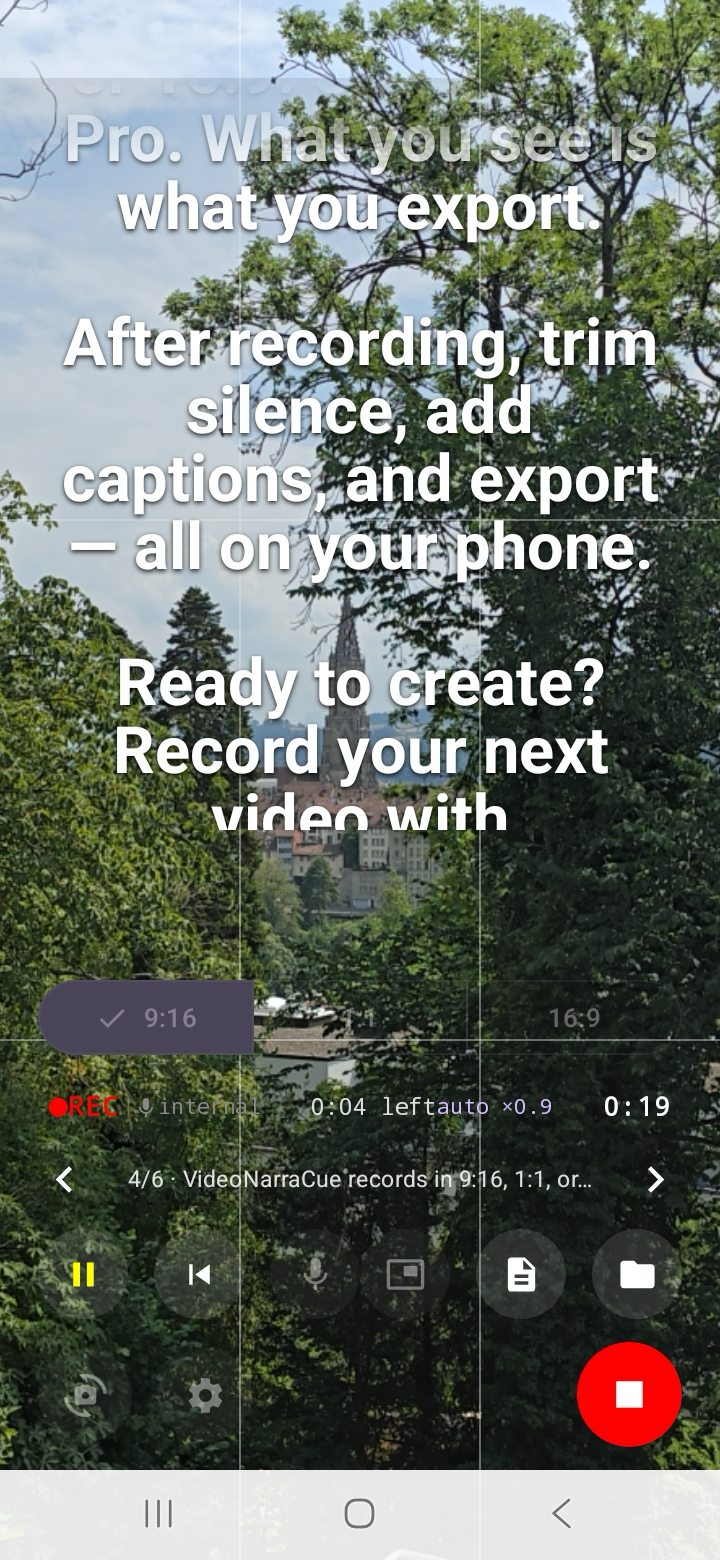
What it is: Built-in CameraX recorder — script and video in one app, no switching.
Why it helps: Frame, focus, and read from the same screen. 4K at 30 fps is included on Free — uncommon for teleprompter apps.
- 9:16 / 1:1 / 16:9 formats
- 720p / 1080p / 4K — Free
- 30 fps — Free · 24 / 60 fps — Pro
- Tap-to-focus, AE/AF lock, grid, stabilization
- Front & back camera
Script Editor & Library
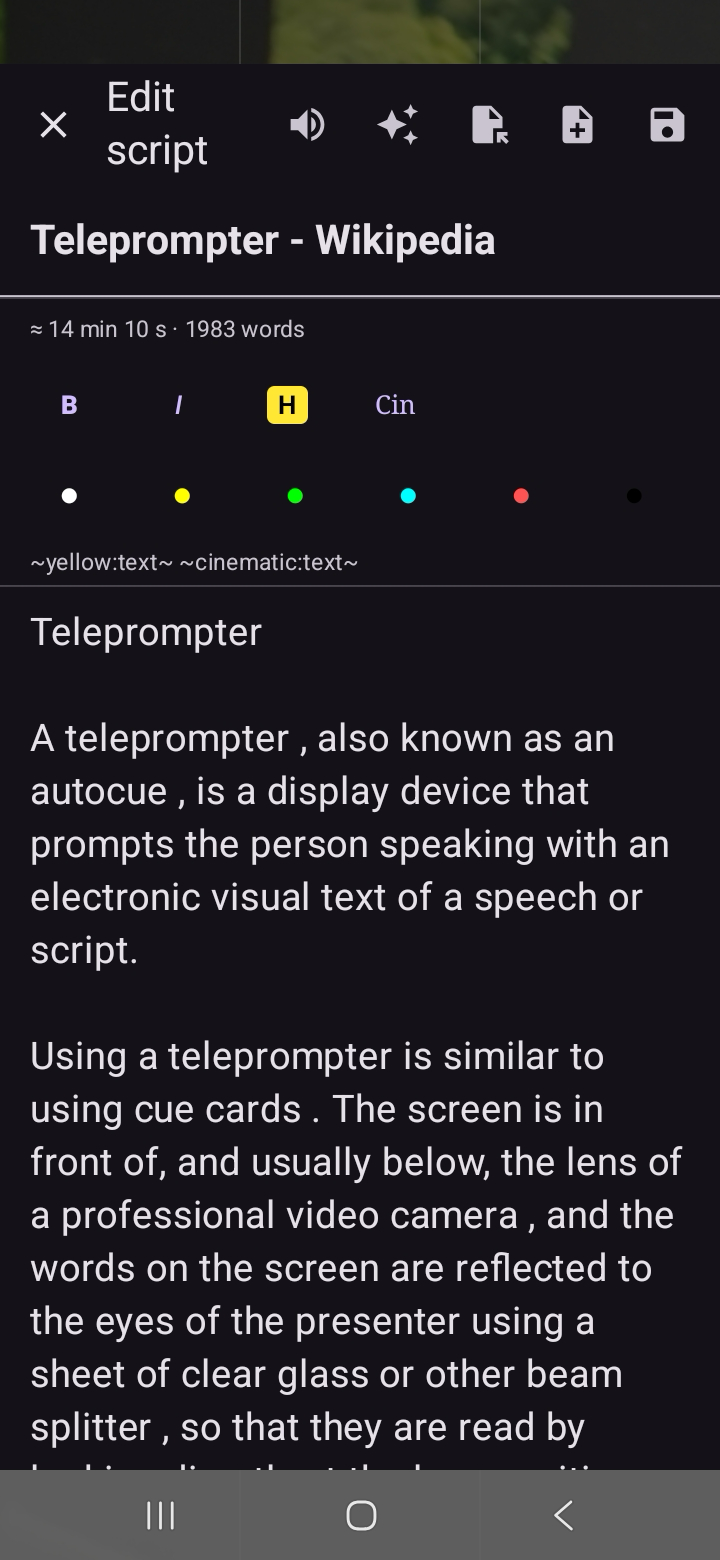
What it is: Write, format, and import scripts (clipboard, URL, PDF, DOCX). Free saves up to 3 scripts; Pro is unlimited.
Why it helps: One workflow from draft to record — no copy-paste between apps.
Live PiP Overlay Pro
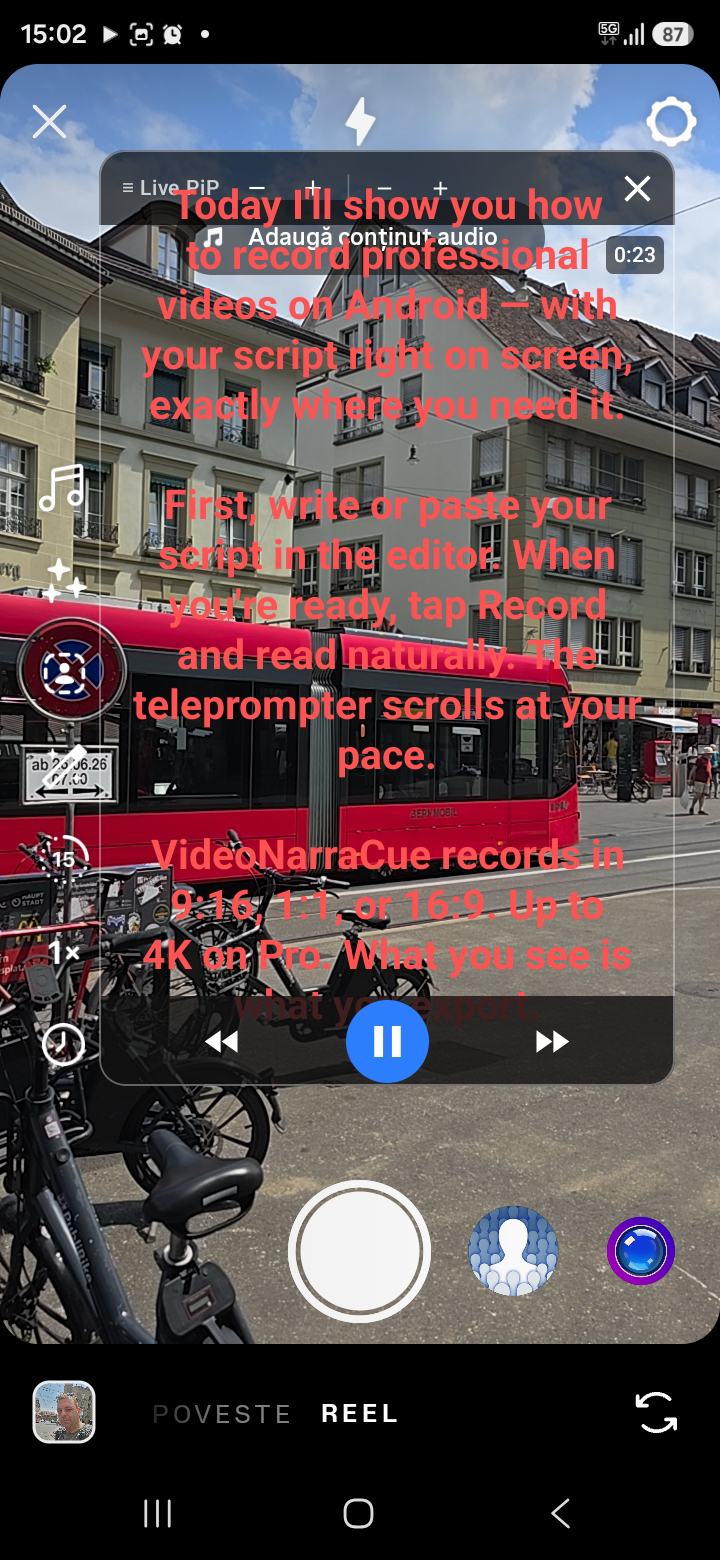
What it is: A floating script window that stays on top of any app — Instagram Live, TikTok, Zoom, Teams, and more.
Why it helps: Go live from one phone. No second device as a prompter, no memorizing, no looking off-camera. Position the overlay near the front camera and read while you stream.
- Auto-scroll at your speed
- Drag to reposition · tap play/pause
- TikTok/Reels safe-zone guides
Script Coach Pro
What it is: On-device script analysis — filler words, readability, hooks, breathing pauses. No cloud upload.
Why it helps: Fix weak openings and wordy sections before you record. Confidence Monitor shows bullet talking points while you deliver — script file unchanged.
Voice-Follow Scroll Pro
What it is: Scroll driven by your voice — advances when you speak, pauses when you stop.
Why it helps: More natural than fixed-speed scroll when you ad-lib or vary your pace.
Post-Production Studio
What it is: Trim, fade, burn-in captions, logo, and music on export. Free: gallery export + .srt + subtle watermark.
Why it helps: Post a polished clip, not a raw take — without a desktop editor.
Captions & Export
What it is: .srt sidecar captions (Free) or burn-in subtitles (Pro). Share to YouTube and social apps.
Why it helps: 80% of social video is watched muted — captions boost watch time and accessibility.